
Claude Cowork and chat are now one Claude. Docs and Slides have also been introduced at the same time.
Hello. On September 16, 2026 (US time), ...
Anthropic has announced "Claude Opus 5.5," the first model in the Claude 5.5 family. While delivering performance comparable to Fable 5.1 across many tasks, it runs approximately 40% cheaper than Opus 5 on typical workloads. We summarize the benchmarks, cost by effort, pricing, improvements in text readability, and changes to safety and safeguards, along with the graphs from the official announcement.
Hello. On September 16, 2026 (US time), ...
Anthropic announces "Claude Fable 5.1" and "Mythos 5.1". We break down the gains in Terminal-Bench 4.0 and CursorBench 3.2.0, the price cuts for cache reads, and the improvements to safeguards from a Claude Code user's perspective.
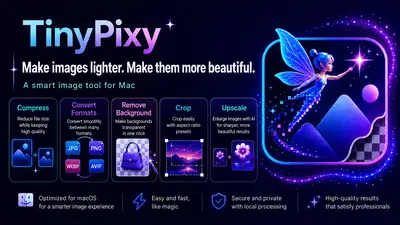
TinyPixy, a Mac app featuring compression, background removal, and AI upscaling, has added a fourth feature, "Crop," in v1.2.0. By simply selecting a ratio such as 1:1 or 16:9, you can batch-crop multiple images into the same shape. For images that require precise alignment, you can adjust them individually by moving the frame in the editing screen, which opens with a double-click. All processing is performed entirely on your Mac. With this update, the four essential tasks for image preparation are now unified in a single window.
Anthropic has unveiled Claude Fable 5 and Mythos 5, Mythos-class models that sit a tier above Opus. An independent rundown of their performance, safety, pricing, and availability, written from a Claude Code user's point of view.
I have released TinyPixy, a Mac app that combines three common image preparation tasks—compression, background removal, and AI upscaling—into a single tool. Processes that previously required separate apps or cloud services can now be completed within one window by switching tabs. Since all processing, including AI upscaling, happens on-device, your images are never sent to external servers. It is available as a $19.99 one-time purchase rather than a subscription, and all features can be tested in the free version.
Dynamic Workflows, added to Claude Code as a research preview, is a mechanism where Claude writes orchestration scripts on the fly and coordinates dozens to hundreds of sub-agents in parallel to tackle large tasks. You can start simply by typing "workflow" in the prompt. We will organize the details step-by-step, covering the differences from sub-agents and Skills, specific usage, and the often-overlooked considerations regarding cost.
Introducing Anthropic's new model, Claude Opus 4.8. With improvements in judgment, honesty, and long-term autonomy, the probability of it missing flaws in its own code is now about one-fourth that of the previous generation. Fast mode is 2.5x faster and 3x cheaper, while standard pricing remains unchanged. I have also organized how to leverage it for work from a practical perspective.
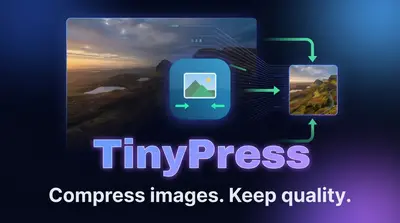
I have released "TinyPress," a Mac app that allows you to compress, convert, resize, and rename blog images all at once with a single drag and drop. It achieves up to a 97% reduction by converting to WebP and AVIF and operates completely offline.
Anthropic has released Claude Opus 4.7. We summarize the key points of its evolution, from the introduction of the new effort level "xhigh", significant improvements in coding and vision performance, and enhanced instruction following, to mentions of the higher-tier model Mythos Preview.
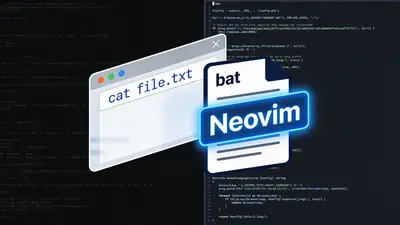
Launching an IDE is heavy, and `cat` is hard to read without syntax highlighting. By using `bat` when you just want to view files and Neovim when editing is also an option, we will create an environment that runs smoothly alongside Claude Code.
Introducing the official claude-md-management plugin from Anthropic. We have summarized how to evolve CLAUDE.md—which often becomes outdated—using skills to grade the file and commands to incorporate learnings from your sessions.
A guide to switching Claude Code from Homebrew to a native installation. Based on the experience of version mismatches when running brew upgrade across multiple Macs, this article covers how to migrate to the native version with automatic updates, how to carry over your settings, and how to configure release channels.